
Book a call Start free

WorkComing from Clover

Leaving Clover? Bring your customers with you.

Your customers and your items come over in a few minutes, on the phones you already have. Anything Clover won’t download, we put in for you.

Comes over:CustomersItems
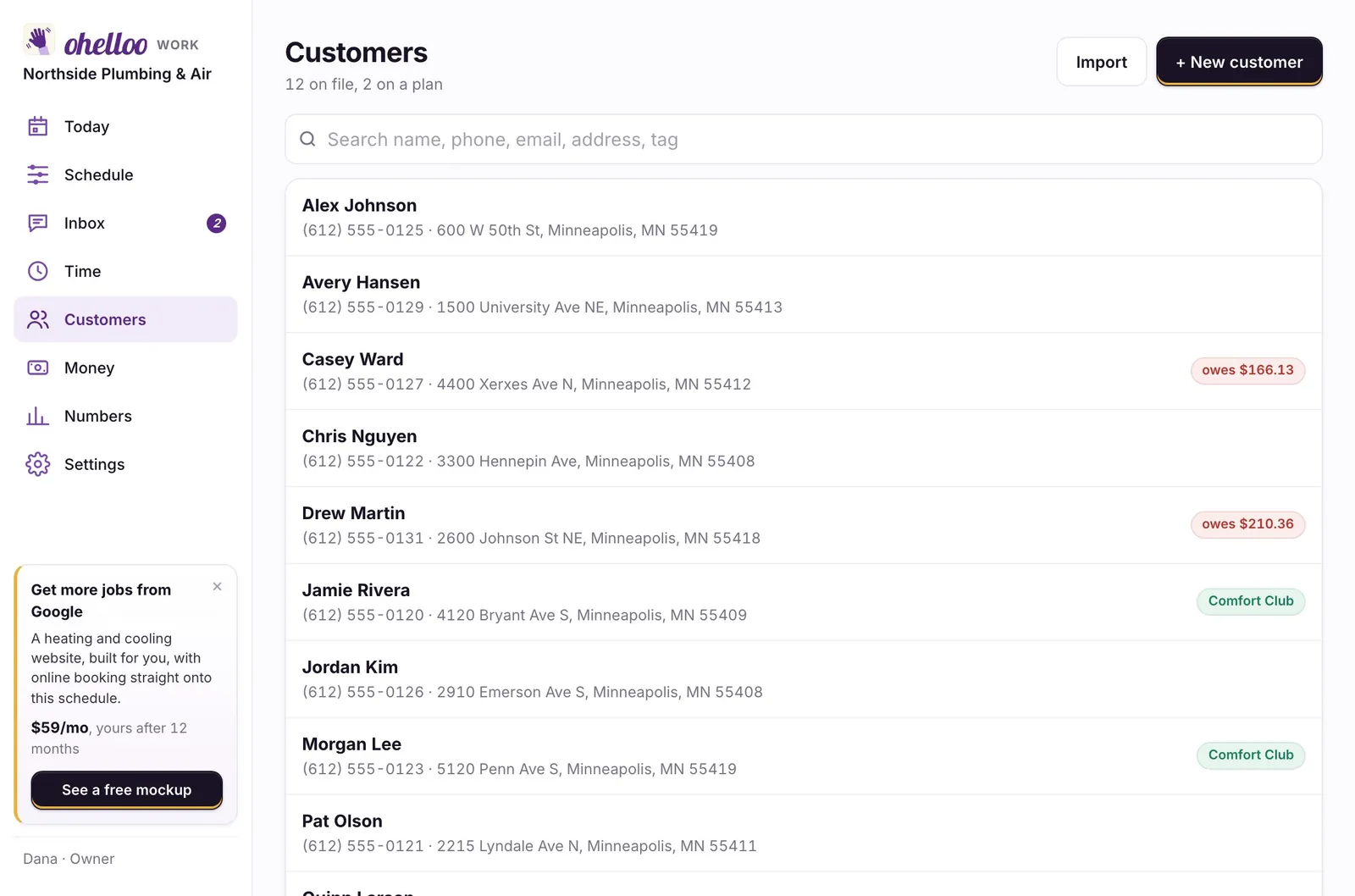
ohelloo Work: everyone on file, with what they owe and who is a member
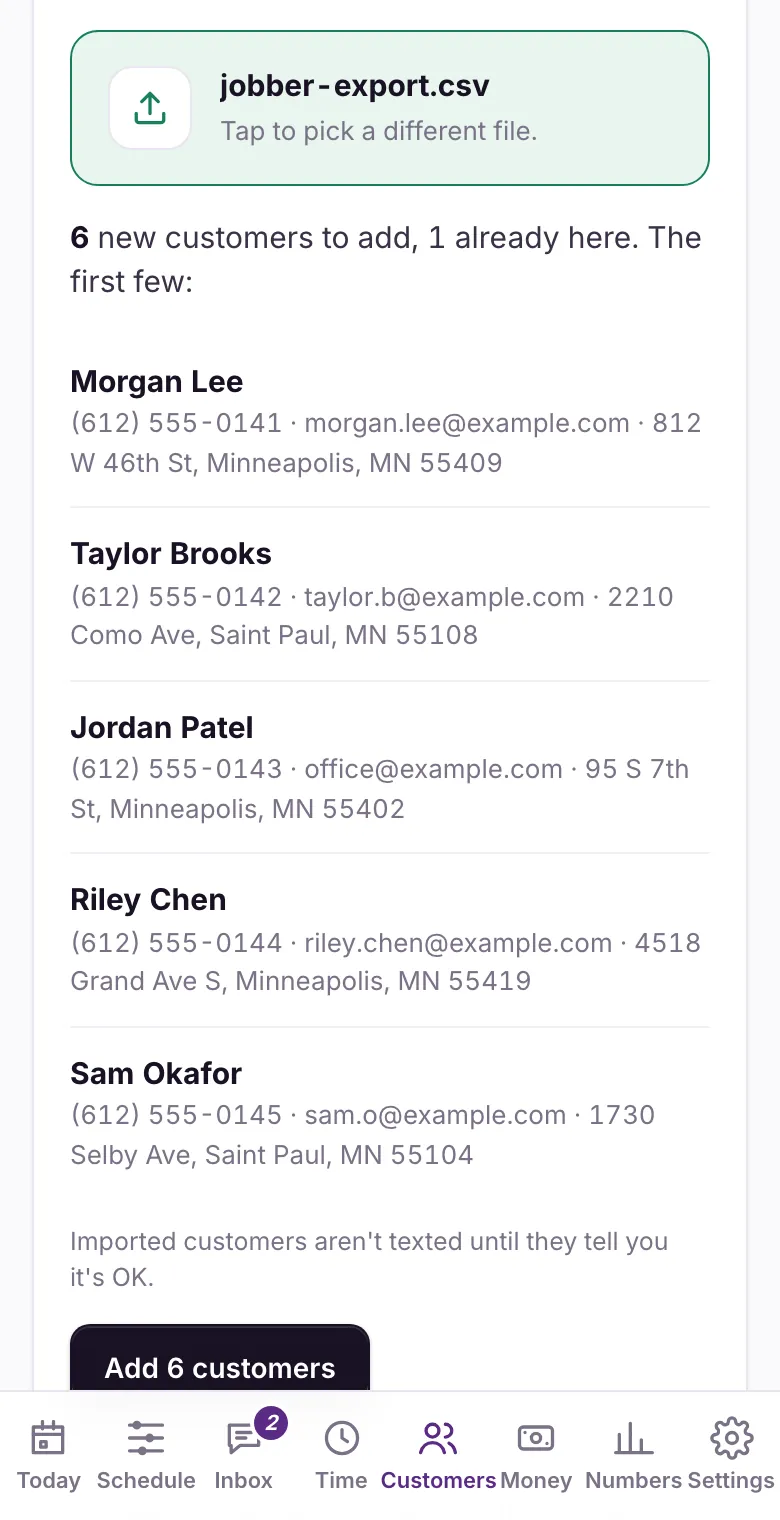
Bring your data over: what will be added, and who is already here

Where things are

Clover’s screens, and where they are in ohelloo Work

Work is a till on the phone, tablet or computer you already have, with your orders, customers and products in the same app. Here is where each part of your Clover dashboard is.

In Clover: CustomersCustomersMore → Customers on the phone
In Clover: ItemsMenu or ProductsSettings → Menu (Products and services for a shop)
In Clover: OrdersOrdersIts own tab, by pickup or delivery day
In Clover: ReportingNumbersMore → Numbers
In Clover: EmployeesTeamSettings → Team, with each person’s pay
In Clover: Online orderingRequest page and pickup daysSettings → Orders
In Clover: TipsPayrollSettings → Payroll, tips shared by hours or evenly
In Clover: RegisterSellIts own tab: your items are the buttons, or scan barcodes with a USB or Bluetooth scanner
In Clover: Cash drawerDrawerOn the Sell tab: the cash you start with, and cash put in or taken out
In Clover: End of dayClose the dayOn the Sell tab: count the drawer, then what the day made. Past days has any earlier day
In Clover: InventoryStockOn the Sell tab, for items set to “Count how many we have”
In Clover: RefundsRefundOn a sale: Sell tab → Sales, or Past days
In Clover: Gift cardsGift cardsOn the Sell tab. We put your balances in for you
In Clover: RewardsLoyaltySettings → Selling at the counter → Loyalty, by phone number
In Clover: DiscountsDealsSettings → Selling at the counter → Deals
In Clover: ReceiptsReceiptBy text in English, Spanish or Vietnamese, or printed from a computer or iPad

Works the same

What you use in Clover works the same way here

  • Card payments: Tap to Pay on an iPhone, or a code they scan
  • A till with cash, change and a drawer count
  • Stock counts and barcodes
  • Customers saved from each order
  • Tips
  • Each person with their own sign-in
  • Your numbers by day and month
  • Sold out and daily limits

New in ohelloo Work

Included, not add-ons

Part of the one price for your whole team. No add-on menu.

A till in the one priceThe Sell tab, on the phone, tablet or computer you have: Tap to Pay, a code they scan, or cash with the change worked out.
Gift cards and loyaltySell gift cards at the till and take them as payment. Loyalty runs on their phone number: a stamp a visit or points a dollar.
Close the dayCount the drawer, see if it’s over or short and what the day made, and get a text the next morning that sums it up.
No fee on your customersNothing is added to what your customers pay, and the money goes to your own account.
Pickup days and limitsYour order days and hours, how many orders a day, when orders close, and sold out by itself.
The bake or prep listEverything to make for the day, added up from the orders.
Custom order requestsA request page with pictures, servings and a budget. Each one waits as a quote with your deposit.
AI receptionistAnswers the calls you miss mid-rush and takes down what they want for you to confirm.

Bring everything over

How to download your files from Clover

Download these from Clover, then pick them all at once in ohelloo Work. Steps from Clover’s own help pages, checked October 18, 2026.

  1. CustomersClover dashboard → Customers → Customer List → the ⋮ menu → Download (CSV, the whole list).
  2. ItemsItems → Item List → the ⋮ menu → Export. It’s an Excel file with a sheet of items, read like any list with a name and a price.
  3. Order historySales activity → Orders → pick the dates → Export orders from this page (CSV).
  4. Then, in ohelloo WorkOpen Customers and tap Bring your data over. Pick all your files at once: each one is linked to the right person, anyone already there is skipped, and you see what will be added before anything is.

Good to know

  • Clover’s own help pages need a Clover sign-in. These steps are from Shopify’s guide to moving off Clover; if a menu looks different, ask Clover’s support for a full export.
  • Gift card and rewards balances: we found no download for them. Send us a screenshot and we put them in for you.
  • Excel files are read on the website, on a computer. On the phone, pick CSV files.
  • Menus move now and then. If you can’t find one, ask Clover’s support for a full export of your data: it’s yours. Keep Clover until everything is here.
Rather not do it yourself?We move it for you. Send us your files, or let us look over your shoulder on a call, and we bring everything over, then check it with you.

The price

Free to start. The whole team from $79 a month.

The same three plans for every business. Every paid plan has the whole app for your whole team, with no charge per person, month to month and the first 14 days free.

Get found

Sell and get paid, with your own ohelloo page and the app.

$0/mo

Start free

Set it up yourself in minutes

Top features for cafés and food

  • Everything to sell and get paid
  • Your own online order pageA page on ohelloo.com where customers order ahead, pick a pickup time and pay, worded for your kind of business, with discount codes, tips and your reviews on it. Pickup only, no delivery.
  • Customer texts coming soonOn the free plan, texts like “we’re on the way” and appointment reminders come from ohelloo’s number once the phone companies approve it for every kind of business. Bakers’ order texts go today. Paid plans text from your own number now.
  • A free monthly Google checkupEach month we check how your Google profile and website look and tell you what to fix.
  • A till on your phone or iPadRing up sales at the counter on a phone or iPad, keep count of stock, and give refunds.
  • Order tickets and food labelsPrint order tickets for the kitchen, and food labels with ingredients and allergens.
  • Catering and custom ordersCustomers send a request with the details; it turns into a quote with a deposit.
  • For you and one helperThe free plan covers you plus one more person on the app.

5% + 25¢ per online sale. Your customer can cover it. Payment fees

See all features
Most popular

Get booked

The whole app for your whole team, and found on Google.

$79/mo

Try free for 14 days

We set it all up and move your data over

Top features for cafés and food

  • Everything in Get found
  • Your own website, yourname.comA one-page website at your own web address, with your hours, services, a call button and a Book or Order button.
  • AI answers up to 100 missed callsWhen you can’t pick up, an AI voice answers and puts urgent calls through to you. It books the visit for trades, the class for gyms, and the appointment for salons and groomers, with a text to confirm (once your services have their lengths and your team their hours). For bakeries, food and shops it takes the order for your team to confirm.
  • Your Google profile set up for youThe box that shows when people search for you on Google or Maps: hours, photos, reviews and phone number. We claim it and fill it in.
  • Gift cards and rewardsSell gift cards online and at the counter, and reward regulars with points or stamps.
  • Text all your customers at onceSend one text to all your customers, or a group like new or regular customers.
  • Track hours, send to payrollYour team clocks in and out on their phone, and we make the file your payroll company (like Gusto) needs.
  • Your whole team, one priceEveryone on your team uses the app. Paid plans never charge per person.

No ohelloo fee on card payments. Payment fees

See all features

Get regulars

We build booking into your site, answer every call and bring customers back.

$299/mo

Try free for 14 days

We set it all up and move your data over

Top features for cafés and food

  • Everything in Get booked
  • Full website with menu pagesA website with several pages at your own address, where customers book or order right on the site.
  • AI answers every call you missAI answers every call you can’t pick up, any time of day or night, using your plan’s AI credits.
  • Your Google profile kept freshEach month we add new photos and two short updates (a special, a tip, what’s new) to your Google profile. You approve each one.
  • We ask for and answer reviewsWe write a reply to every review, good or bad, and post it once you approve.
  • We bring back past regularsWe write and send personal messages to customers who haven’t been back in a while.
  • We set up “order again” textsTexts that follow up on quotes, remind customers about visits, or nudge regulars to order again. We set them up for you.
  • 1 add-on, like delivery appsPick from add-ons like more town pages, delivery apps or social posts, included in your plan.

No ohelloo fee on card payments. Payment fees

See all features

Each extra location is half the plan: $39 or $149 a month. 5 or more, talk to Omar. Compare every feature.

Card fees: Tap to Pay on the iPhone app is 2.7% + 15¢, all Stripe’s, and ohelloo takes nothing. A card paid online is 2.9% + 30¢ (also all Stripe’s), a bank payment 1%. Refund a customer and every fee comes back.

Ready when you are.

Start free and see your setup in minutes, or book a 30-minute call with our team.