
Book a call Start free

WorkComing from Jobber

Leaving Jobber? Bring everything with you.

Your customers, jobs, quotes, invoices with what’s been paid, and your price list come over. CSV or Excel, several files at once, each linked to the right customer, and never added twice.

Comes over:CustomersJobsQuotesInvoices, with what’s been paidYour price list
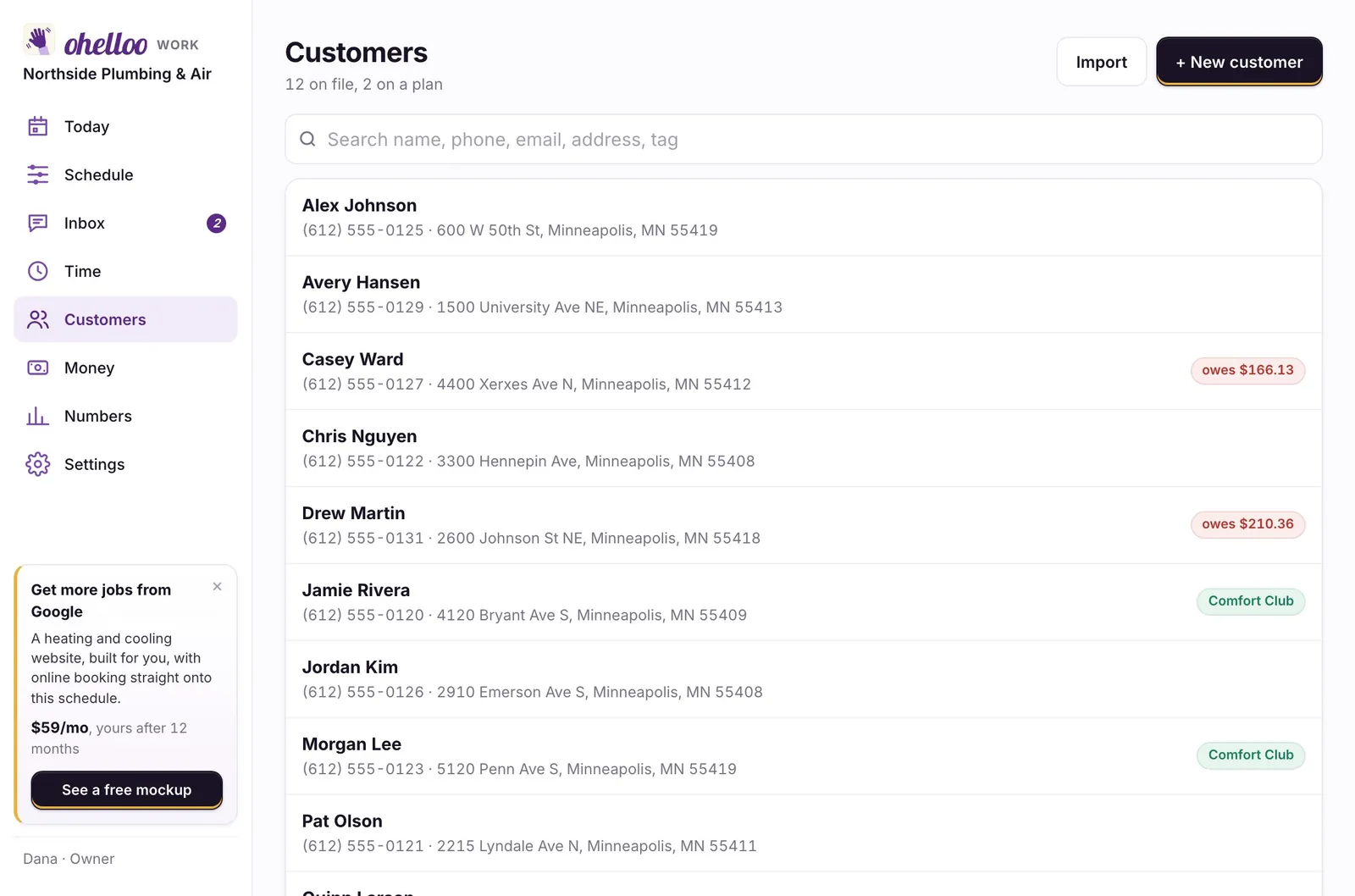
Customers: 12 on file, with balances and plan members marked
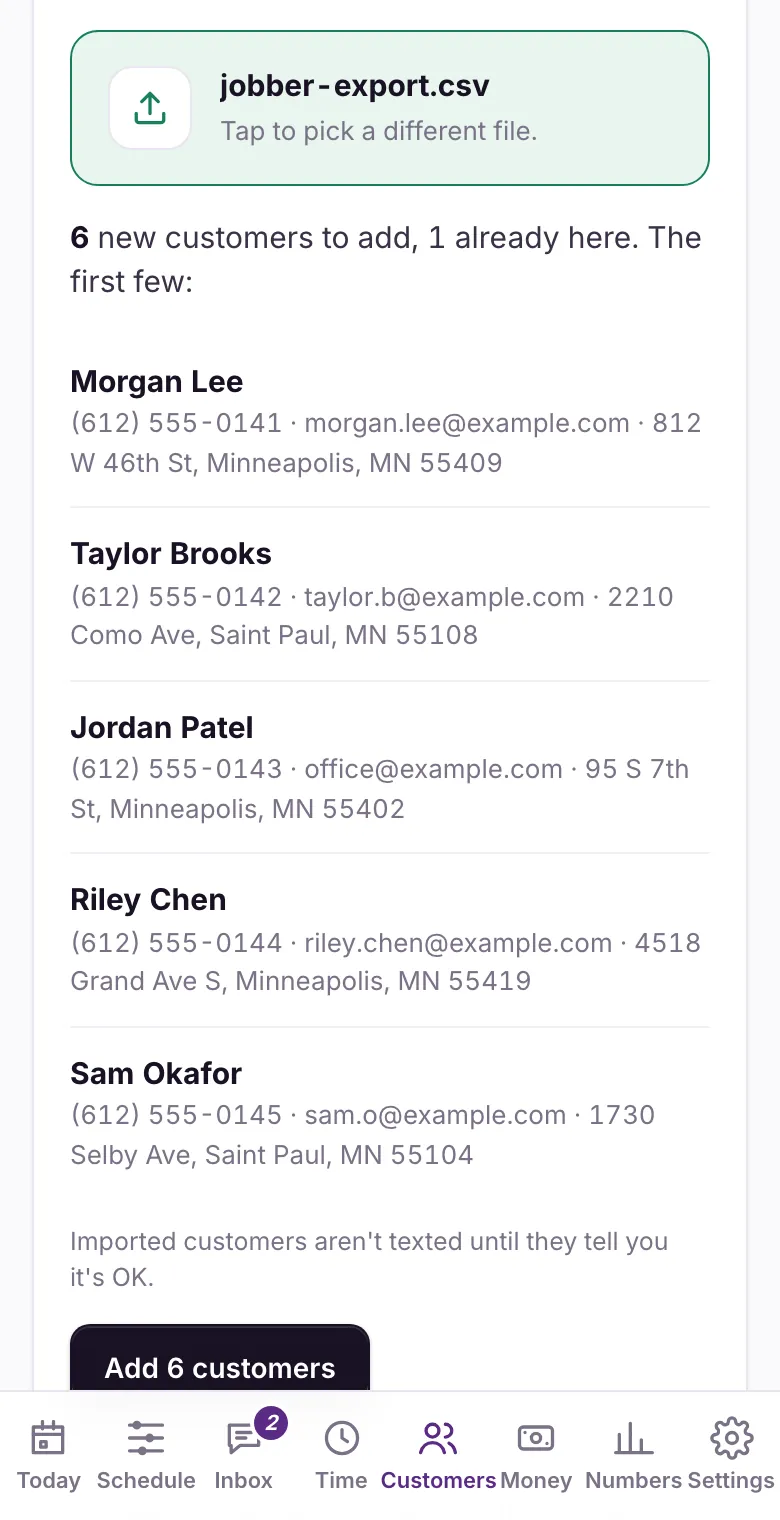
The import screen: 6 new customers to add, 1 already here

Where things are

Jobber’s screens, and where they are in ohelloo Work

Work is laid out the way Jobber is, so you already know where things are: Home, Schedule, Timesheet, Search and More along the bottom of the phone, and a + to create anything.

In Jobber: HomeHomeClock in first, then today’s jobs and what needs you
In Jobber: ScheduleScheduleDay, week and list, with drag and drop
In Jobber: ClientsCustomersMore → Customers on the phone
In Jobber: RequestsBooking requestsOn Home, under what needs you
In Jobber: QuotesQuotesQuotes and invoices
In Jobber: Jobs and visitsJobsOn the Schedule; a repeat job is one job with visits
In Jobber: InvoicesInvoicesQuotes and invoices
In Jobber: TimesheetsTimesheetIts own tab
In Jobber: Reports and InsightsNumbersMore → Numbers
In Jobber: Products & ServicesPrice listSettings → Price list
In Jobber: Client HubTheir own pageA link for each customer to see and pay
In Jobber: Online bookingBooking pageSettings → Online booking and payments
In Jobber: MessagesMessagesThe speech bubble on Home

Works the same

What you use in Jobber works the same way here

  • Quotes with up to three options for them to pick
  • Invoices paid by card or bank, at Jobber’s rates or lower
  • Deposits on quotes
  • On-my-way texts
  • Job checklists and photos
  • Customers’ own page to approve and pay

New in ohelloo Work

Included, not add-ons

Part of the one price for your whole team. No add-on menu.

Weather check-insAfter hail, a freeze or high wind where your customers live, a text is ready asking if they’re okay, with a link to book. Your trade decides which weather counts.
Storm modeOne switch puts urgent jobs first on your booking page and phone assistant when a storm hits.
The day on a mapGoogle drive times between jobs, the best order, and a warning when two jobs are too close together.
AI receptionistAnswers when you can’t, books the visit or takes a message, and texts you the urgent ones.
Who’s comingThe “on my way” text has the tech’s name and photo and a live arrival time.
Repeat visits booked aheadWeekly, monthly or yearly visits go on the schedule eight weeks out, so nothing is forgotten.
Timesheets to payrollClock in on Home, approve the hours, download the file your payroll company takes.
Profit per jobWhat each job cost you in time and parts next to what you charged.

Bring everything over

How to download your files from Jobber

Download these from Jobber, then pick them all at once in ohelloo Work.

  1. CustomersClients → More Actions → Export Clients → CSV. Jobber emails it to you, 1,500 to a file. Only the account’s admin can, and only on some Jobber plans: if you don’t see it, skip it. Your jobs and invoices files bring your customers over too.
  2. JobsInsights → Reports → Visits (or One-off jobs) → pick All time → Export CSV.
  3. QuotesInsights → Reports → Quotes → All time → Export CSV.
  4. InvoicesInsights → Reports → Invoices → All time → Export CSV. Paid and still owed come with it.
  5. Price list itemsAsk Jobber’s support for your Products & Services list, or add yours in Settings → Price list (or load the starter one).
  6. Then, in ohelloo WorkOpen Customers and tap Bring your data over. Pick all your files at once: each one is linked to the right customer, anyone already there is skipped, and you see what will be added before anything is.

Good to know

  • Jobber has no button to download your price list. That’s why the last file is a request to their support, or a few minutes in Settings → Price list.
  • Excel files are read on the website, on a computer. On the phone, pick CSV files.
  • Menus move now and then. If you can’t find one, ask Jobber’s support for a full export of your data: it’s yours. Keep Jobber until everything is here.
Rather not do it yourself?Founders get it done for them. Send us your files and we move everything over, then check it with you.

The price

Free to start. The whole crew from $79 a month.

The same three plans for every business. Every paid plan has the whole app for your whole crew, with no charge per person, month to month and the first 14 days free.

Get found

Sell and get paid, with your own ohelloo page and the app.

$0/mo

Start free

Set it up yourself in minutes

Top features for trades

  • Everything to sell and get paid
  • Your own booking pageA page on ohelloo.com, made for you, where customers book or order and pay. Share the link anywhere.
  • Customer texts coming soonOn the free plan, texts like “we’re on the way” and appointment reminders come from ohelloo’s number once the phone companies approve it for every kind of business. Bakers’ order texts go today. Paid plans text from your own number now.
  • A free monthly Google checkupEach month we check how your Google profile and website look and tell you what to fix.
  • Schedule jobs and send quotesSend quotes customers approve online, and invoices they pay with a link.
  • Get paid by card or bankCustomers pay by card online, by bank transfer, or by tapping their card on your phone.
  • Job photos and checklistsTake photos and tick off a checklist on each job, right from your phone.
  • For you and one helperThe free plan covers you plus one more person on the app.

5% + 25¢ per online sale. Your customer can cover it. Payment fees

See all features
Most popular

Get booked

The whole app for your whole team, and found on Google.

$79/mo

Try free for 14 days

We set it all up and move your data over

Top features for trades

  • Everything in Get found
  • Your own website, yourname.comA one-page website at your own web address, with your hours, services, a call button and a Book or Order button.
  • AI answers up to 100 missed callsWhen you can’t pick up, an AI voice answers and puts urgent calls through to you. It books the visit for trades, the class for gyms, and the appointment for salons and groomers, with a text to confirm (once your services have their lengths and your team their hours). For bakeries, food and shops it takes the order for your team to confirm.
  • Your Google profile set up for youThe box that shows when people search for you on Google or Maps: hours, photos, reviews and phone number. We claim it and fill it in.
  • Your whole crew, one priceEveryone on your team uses the app. Paid plans never charge per person.
  • Weather alerts, urgent jobs firstA heads-up before freezes and storms, urgent jobs moved to the front, and the equipment at each home tracked.
  • Sell yearly maintenance plansCustomers sign up for a yearly tune-up plan, pay monthly, and get reminded when it’s time.
  • Track hours, send to payrollYour team clocks in and out on their phone, and we make the file your payroll company (like Gusto) needs.

No ohelloo fee on card payments. Payment fees

See all features

Get regulars

We build booking into your site, answer every call and bring customers back.

$299/mo

Try free for 14 days

We set it all up and move your data over

Top features for trades

  • Everything in Get booked
  • Full website, a page per serviceA website with several pages at your own address, where customers book or order right on the site.
  • AI answers every call you missAI answers every call you can’t pick up, any time of day or night, using your plan’s AI credits.
  • Your Google profile kept freshEach month we add new photos and two short updates (a special, a tip, what’s new) to your Google profile. You approve each one.
  • We ask for and answer reviewsWe write a reply to every review, good or bad, and post it once you approve.
  • We follow up on your quotesTexts that follow up on quotes, remind customers about visits, or nudge regulars to order again. We set them up for you.
  • We bring back past customersWe write and send personal messages to customers who haven’t been back in a while.
  • 1 add-on, like more town pagesPick from add-ons like more town pages, delivery apps or social posts, included in your plan.

No ohelloo fee on card payments. Payment fees

See all features

Each extra location is half the plan: $39 or $149 a month. 5 or more, talk to Omar. Compare every feature

Ready when you are.

Start free and see your setup in minutes, or book a 30-minute call with our team.